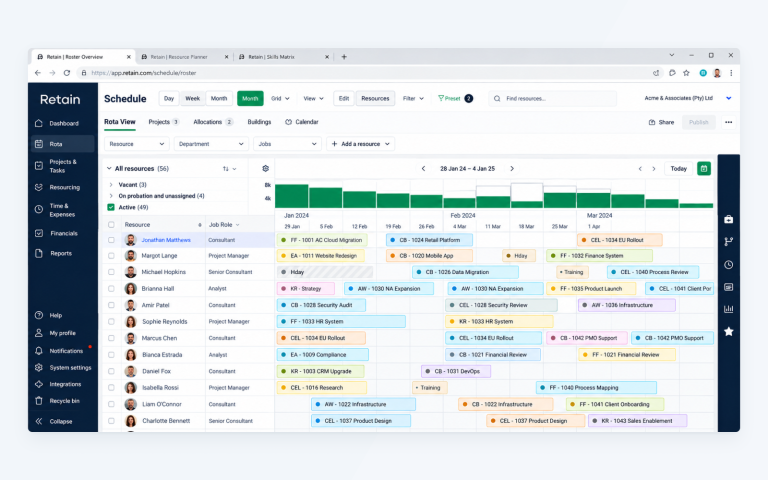
If you manage resources, chances are, you spend a good chunk of your week balancing future demand, available capacity, and project commitments. Retain Cloud 2.4 is built to make those calls easier.
This release centres on capacity planning, giving planners better visibility into scheduled work, future demand, and available resource capacity. Alongside a new Capacity Report, we’ve added capacity visualisations directly into schedules and introduced several workflow improvements that reduce administrative effort and improve day-to-day planning.
You might be planning across departments one minute and reworking next quarter’s forecast the next. Whatever the task, Retain Cloud 2.4.1 gives you faster access to the information you need.
Table of contents
- Why capacity planning remains a challenge
- New in Retain Cloud 2.4.1: Capacity reporting built for resource planners
- Capacity insights directly within your schedules
- Additional workflow improvements in 2.4.1
- What this means for resource managers
- See Retain Cloud 2.4.1 in action
Why capacity planning is such a challenge
As I am sure you know firsthand, resource planning doesn’t stand still for long! One week you’re looking at next month’s workload. The next, a project timeline moves, a new opportunity enters the pipeline,… and half your assumptions need revisiting.
Capacity planning feels like a constant balancing act between committed work, future demand, and the people available to deliver it. Here’s why:
The bigger the organisation, the harder this gets. You’re often planning across several teams, departments, locations and project portfolios all at once. The information’s there. It just isn’t sitting in one place where you can use it.
A typical planning review might involve checking schedules, running reports, reviewing demand requests, and speaking to project managers before you can confidently answer questions such as:
- Where are we approaching capacity?
- Which teams have availability in the coming weeks?
- How much unconfirmed demand is sitting in the pipeline?
- Which projects need attention before they create resourcing issues?
- Let’s remedy that, shall we?
Retain Cloud’s latest update focuses on making those answers easier to find. The new reporting and visualisation capabilities give planners a clearer view of future workload, demand, and capacity without having to jump between multiple screens or build additional reports.
Here’s how it works…
New in Retain Cloud: Capacity reporting built for resource planners
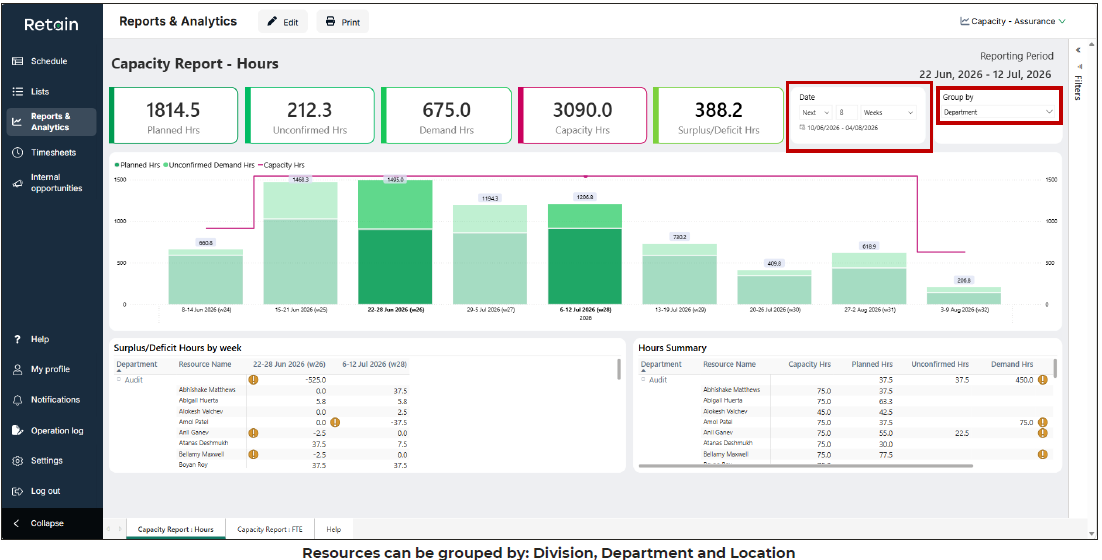
The headline addition in Retain Cloud 2.4.1 is the new Capacity Report. Resource managers regularly need to understand what’s already scheduled as well as visibility into future demand, available capacity, and where pressure is building across teams. Until now, that often meant switching between multiple views to build a complete picture.
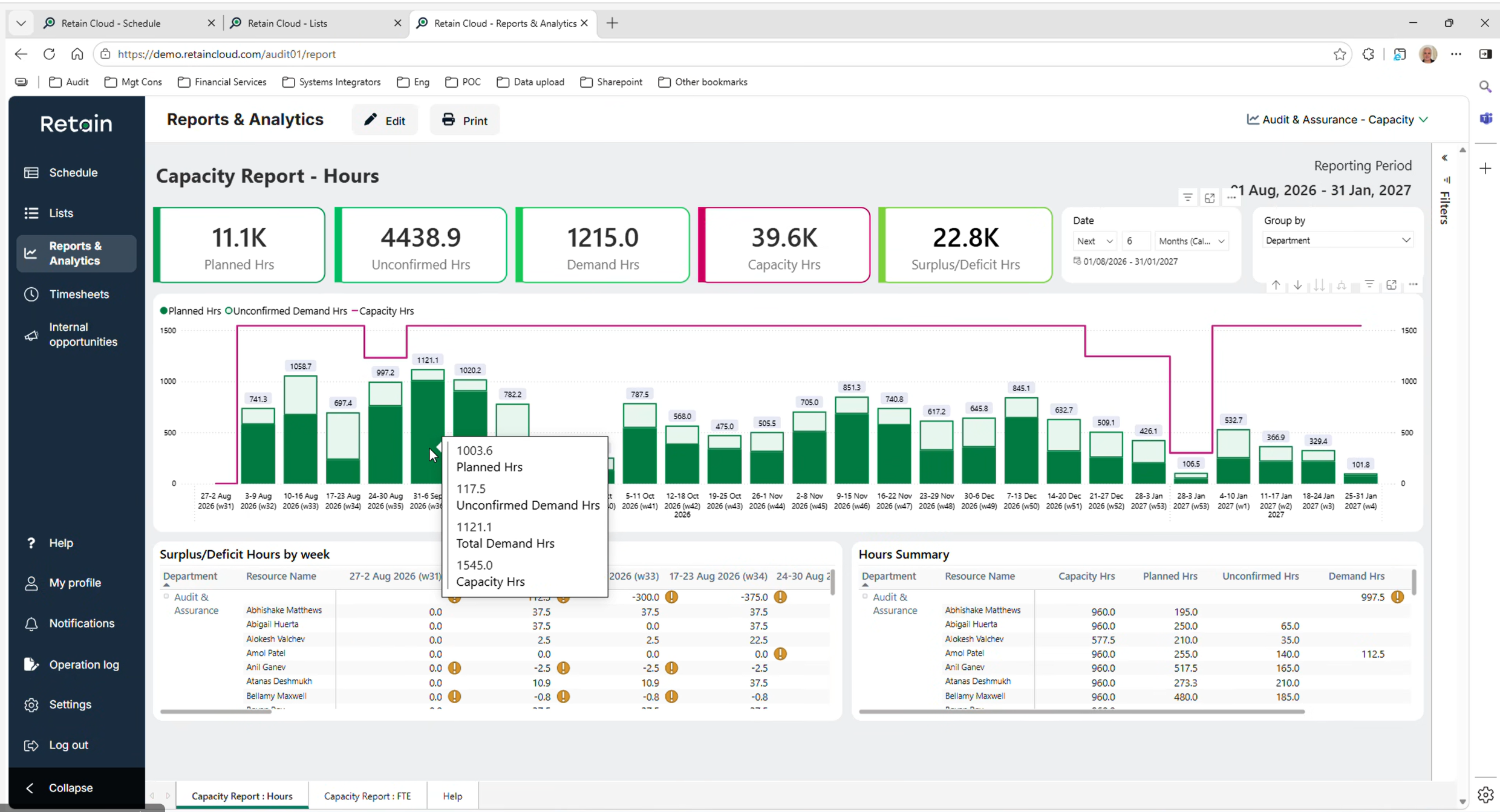
[Review planned work, future demand, and available capacity from a single report.]
The new Capacity Report brings that information together in a single place.
See demand and capacity side-by-side
The report provides a consolidated view of:
- Planned hours
- Unconfirmed demand hours
- Total demand hours
- Available capacity
This allows planners to quickly assess workload over upcoming weeks and identify where resources are becoming constrained.
The report can be filtered and grouped by:
- Department
- Division
- Location
That makes it easier to understand capacity across different parts of the business and identify where support may be available.
Plan using hours or FTEs
Every organisation approaches capacity planning differently. Some teams schedule and forecast using hours. Others prefer to work in full-time equivalents (FTEs) when reviewing workforce capacity across larger groups.
The good news is Retain Cloud 2.4 supports both approaches.
The Capacity Report can display scheduling data in hours or FTEs, allowing planners to review future workload using the metrics that best fit their planning process. For organisations managing large teams across multiple departments, this provides a faster way to assess workforce requirements without performing manual calculations.
Drill into the detail
[Select specific periods to investigate workload and capacity at resource level.]
High-level summaries are useful, but planning decisions still require detail. That’s why our new report allows planners to drill into individual weeks or date ranges to investigate capacity and demand in greater depth.
Selecting specific periods updates the report and displays resource-level information for the chosen timeframe. This makes it easier to move from identifying a capacity issue to understanding exactly where it exists.
So, instead of generating additional reports or exporting data, planners can investigate workload directly within the same reporting view.
What this means for resource managers
The Capacity Report gives planners a faster way to answer some of the most common planning questions:
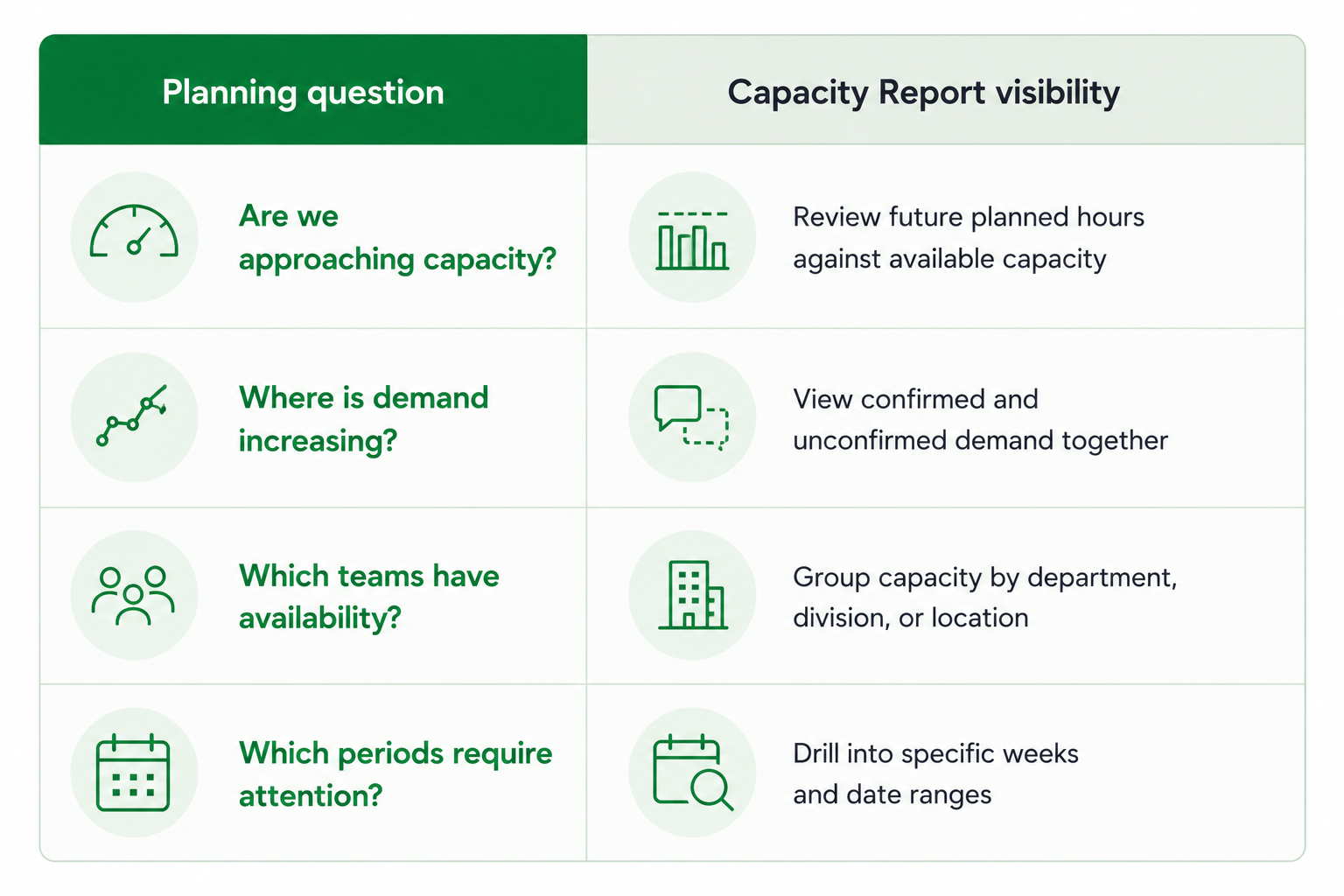
The result is a quicker route from capacity review to resource decision.
Capacity insights directly within your schedules
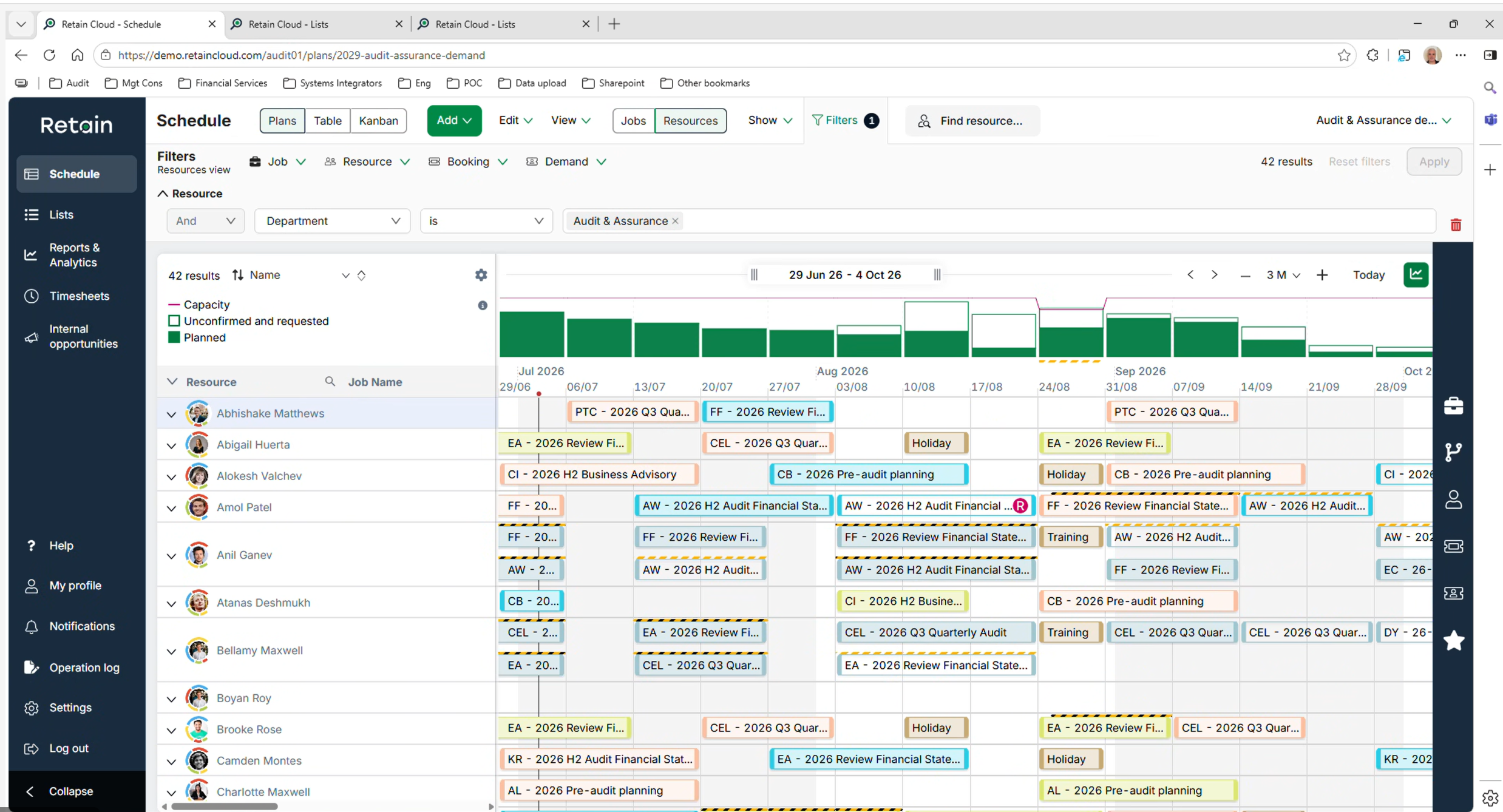
[Capacity information is now available directly within schedule views.]
Capacity reporting is valuable during planning reviews, yet scheduling decisions happen throughout the day. That’s why Retain Cloud 2.4 brings capacity information directly into the schedule views resource managers already use.
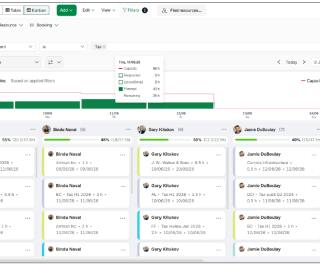
Across Plans, Table and Kanban views, planners can now see a capacity chart alongside their schedules. The chart displays:
- Capacity hours
- Requested hours
- Unconfirmed demand
- Planned hours
Spot pressure before it becomes a problem
When schedules become busy, the warning signs often appear weeks before a resource shortage occurs.
Having capacity information available alongside bookings makes it easier to identify:
- Teams approaching full utilisation
- Upcoming periods with excess demand
- Available capacity that can be reassigned
- Unconfirmed work that may affect future plans
Resource managers can review these trends while making scheduling decisions, reducing the need to move between multiple screens.
Capacity visibility across every schedule view
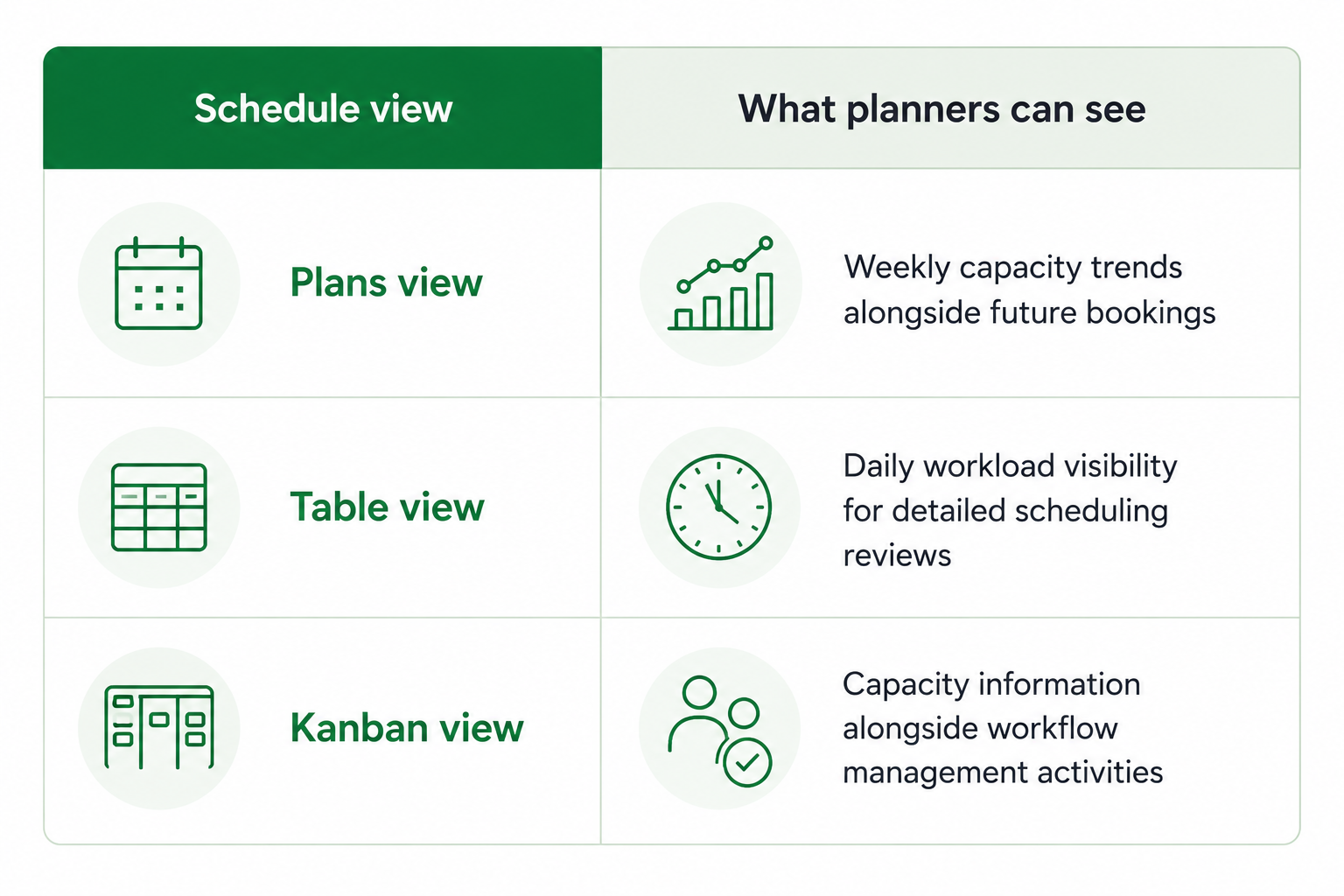
[Capacity visibility is available across Table and Kanban views as well as Plans View.]
The same capacity metrics are available regardless of which schedule view best fits your planning process.
Faster decisions with fewer clicks
Small efficiencies add up quickly when resource managers spend much of their day reviewing schedules. Bringing capacity information directly into Plans, Table and Kanban views reduces the effort required to answer common planning questions and keeps decision-making within the scheduling workflow itself.
For organisations managing large project portfolios, that means less time searching for information and more time allocating the right people to the right work.
Additional workflow improvements in 2.4.1
Alongside the new capacity planning capabilities, Retain Cloud 2.4.1 includes a few other enhancements designed to simplify day-to-day resource management too:
#1. Grouped booking notifications
Booking updates happen constantly. For active projects, a single booking can be adjusted multiple times within a short period.
Retain Cloud now groups booking edit notifications before sending them to resources. If several changes are made within a 60-second window, users receive a single notification rather than a stream of separate alerts.
Benefits
- Fewer notification emails
- Less disruption for resources
- Reduced inbox clutter
- Clearer communication when schedules change
#2. Kanban checklist visibility
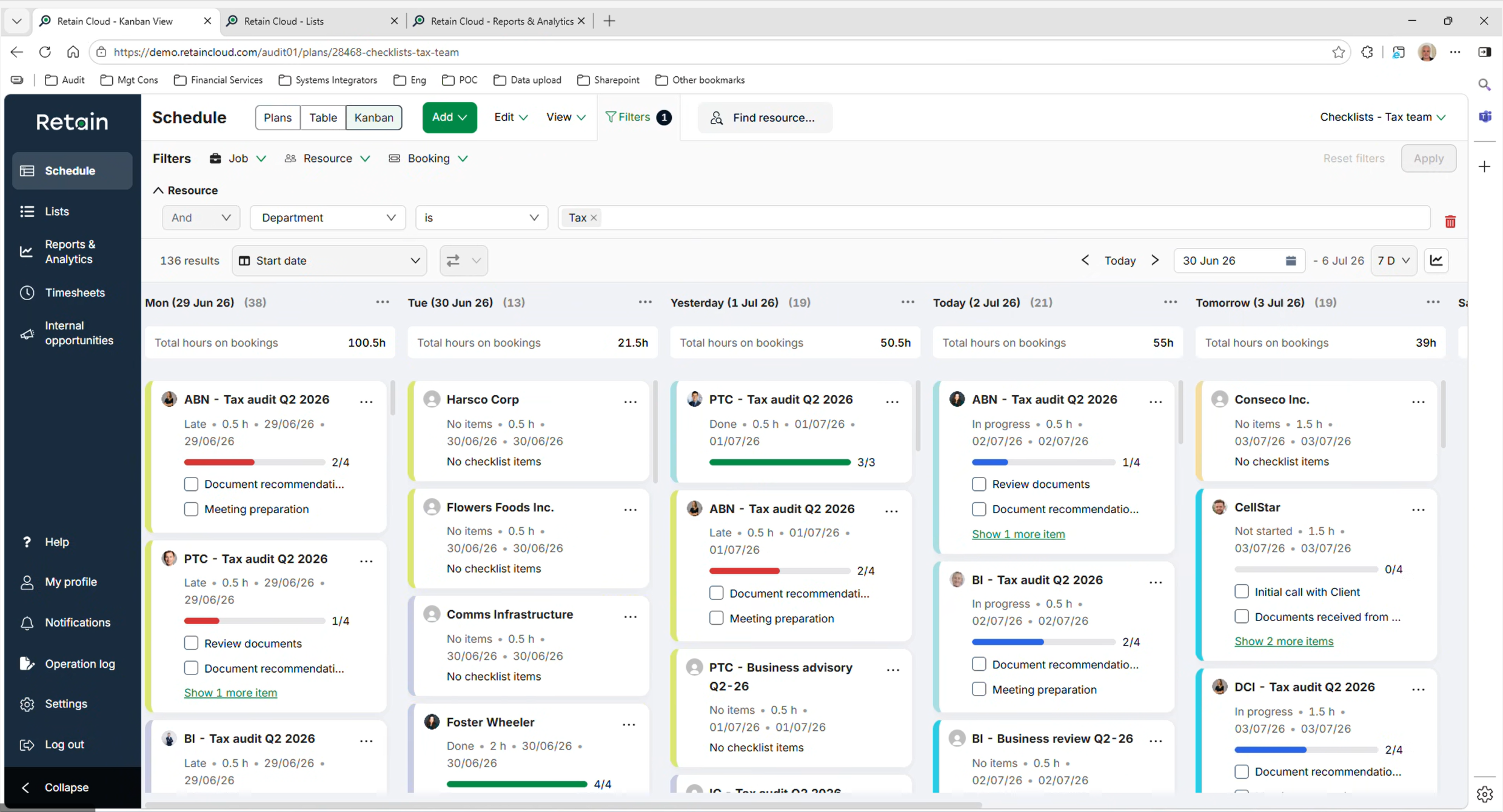
Keeping track of outstanding actions becomes easier with new checklist indicators within Kanban views. Checklist progress now appears directly on Kanban cards through colour-coded progress bars and completion counters, making it easier to monitor work that still requires attention.
Benefits
- Quick visibility of incomplete actions
- Improved workflow monitoring
- Easier identification of items requiring follow-up
- Better progress tracking across teams
Enhanced role requirement filtering
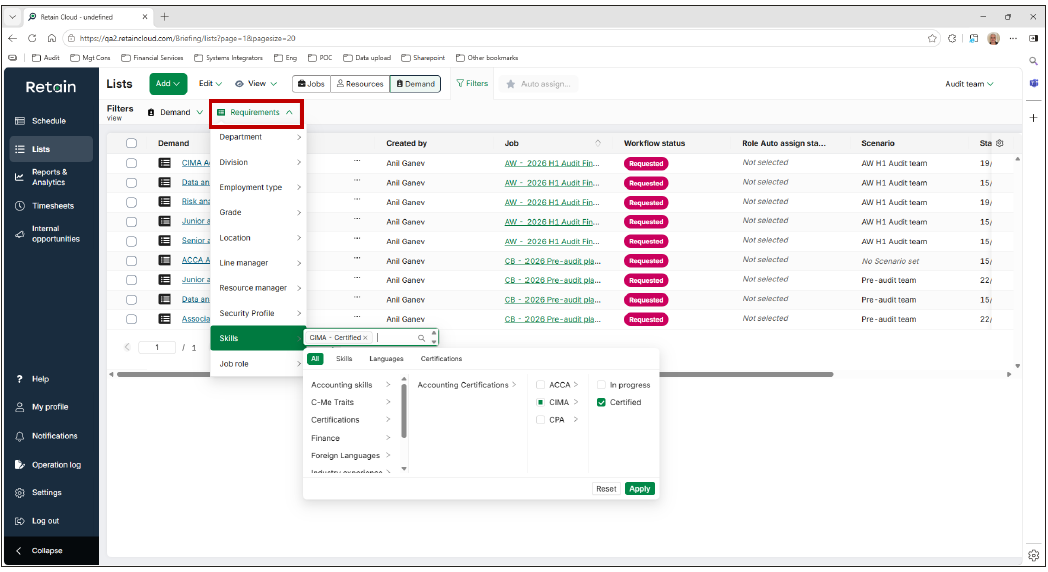
Finding the right resource starts with understanding exactly what a role requires. The Lists view now includes requirement-based filtering, allowing planners to search demand requests using specific skills, certifications, and resource attributes.
For example, planners can quickly identify roles requiring a particular certification level or specialist skill set.
Benefits
- Faster role reviews
- More targeted resource searches
- Better visibility of demand requirements
- Improved matching between roles and resources
What this means for resource managers
Capacity planning is a series of decisions made throughout the week, often with changing priorities, shifting demand, and incomplete information.
Retain Cloud 2.4.1 gives resource managers quicker access to the information they need to make those decisions with confidence.
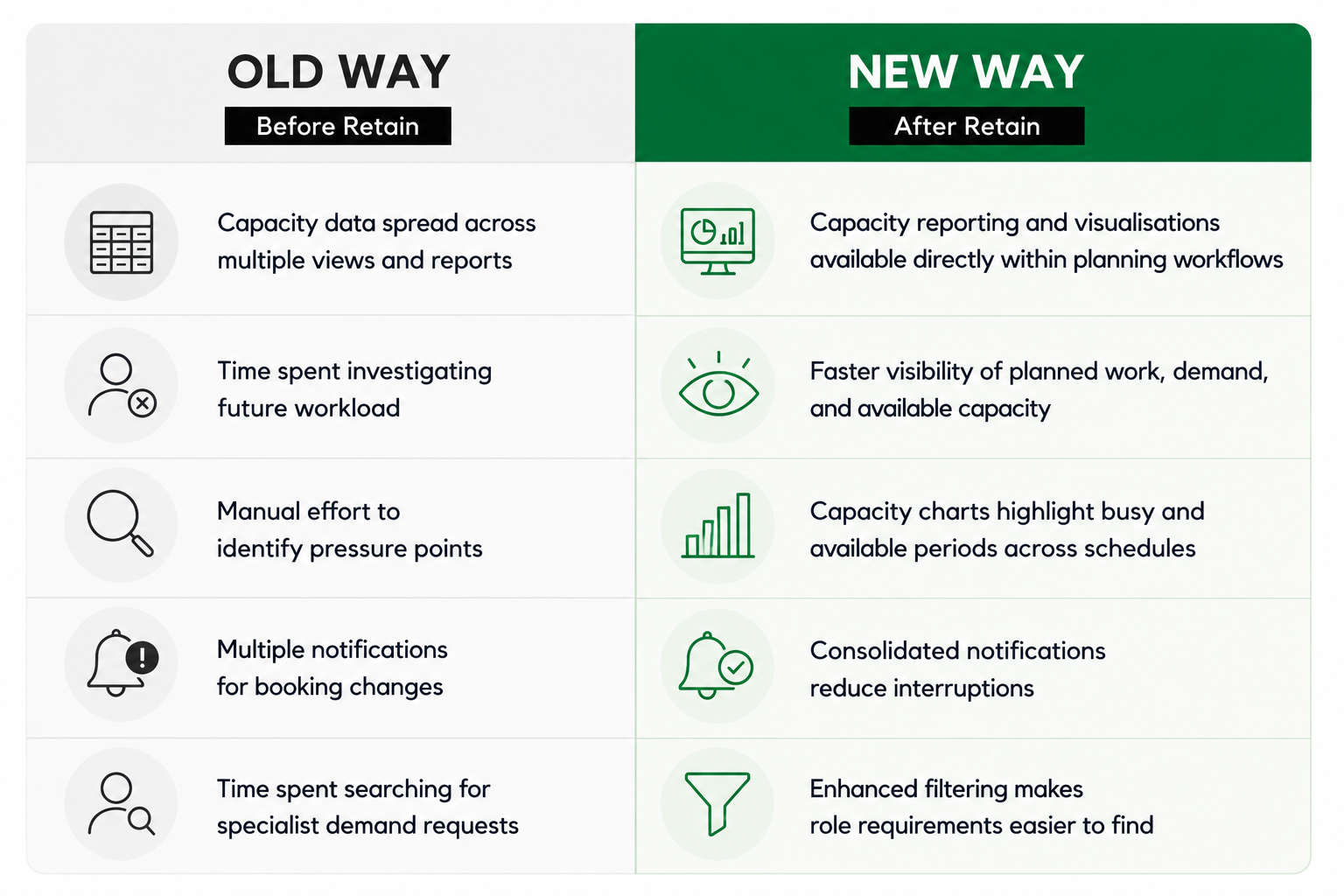
Essentially, these improvements make it easier to review workload, forecast future demand, and allocate resources effectively across teams. For organisations managing multiple projects, departments, and locations, that means less time gathering information and more time making planning decisions.
See Retain Cloud in action
Retain Cloud gives resource managers greater visibility into capacity, demand, and workload without adding complexity to the planning process.
From the new Capacity Report and embedded schedule visualisations to workflow improvements across notifications, Kanban views, and role filtering, this release focuses on helping planners spend less time searching for information and more time making informed resource decisions.
Whether you’re reviewing future demand, balancing utilisation across teams, or planning capacity for the months ahead, Retain Cloud 2.4.1 gives you a more complete view of the information that drives resource planning.
Ready to see the latest release in action?
Book a personalised demo today and discover how Retain Cloud can help your organisation plan resources with greater confidence and control.
Our editorial process
Written from interviews with resource managers in IT consulting firms, alongside anonymised patterns from Retain customer data. Direct quotes are used with permission and lightly edited for length.
Reviewed for accuracy by Retain’s resource management practice leads before publication. Claims about outcomes are checked against source data or removed.
The summary at the top of this page is generated from the article text. The article itself is written and edited by people. AI is not used to draft claims, quotes or data.
Spotted something wrong? Email editorial@retaininternational.com and we will correct it, noting the change at the foot of the article.