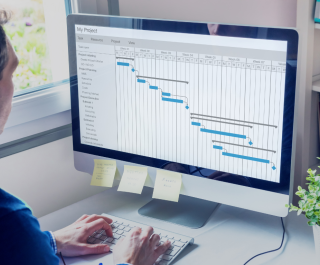
A resource planning Gantt chart can help you visualise project timelines, allocate people to tasks, and see who’s working on what. It’s a useful starting point, especially when you’re managing a relatively straightforward project.
But what happens when you’re juggling multiple projects, competing deadlines, and people with different skills and availability? Suddenly, keeping your resource plan accurate becomes a lot more complicated.
That’s where the limitations of traditional Gantt charts start to show.
In this guide, we’ll explore how to use a Gantt chart for resource allocation, where it works well, and where it can become difficult to manage. We’ll also look at the alternatives available, including specialist resource planning software, to help you decide which approach makes the most sense for your team.
Key takeaways:
Curious to learn more? You’re going to have to keep reading ⬇️ |
What is a resource planning Gantt chart?
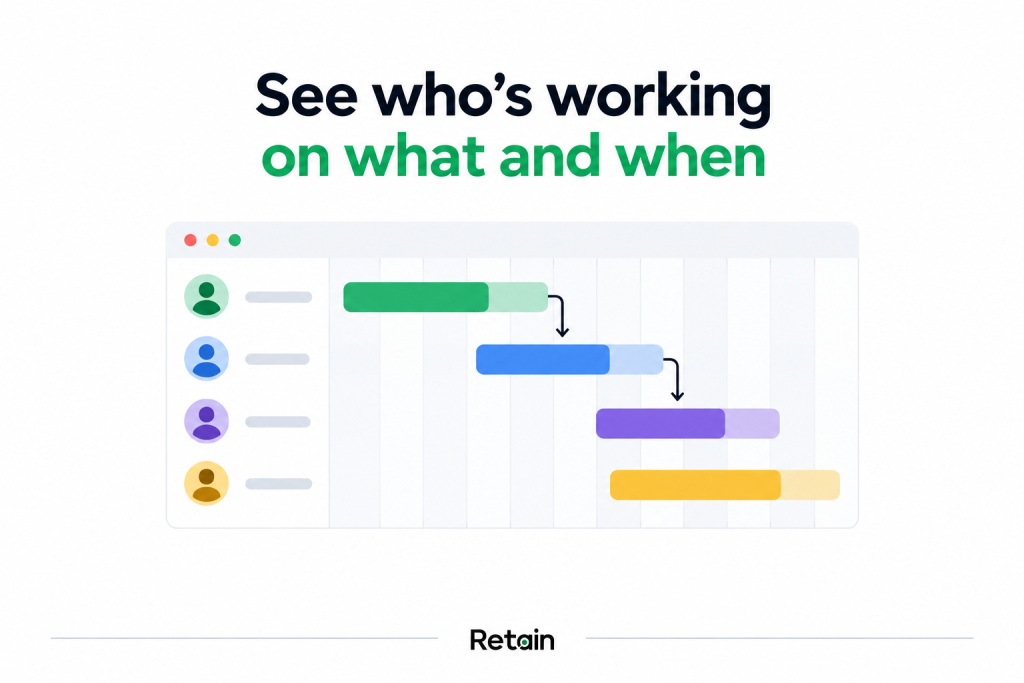
A resource planning Gantt chart is a visual timeline showing how people, equipment, or other resources are allocated across project tasks. It helps you see who’s working on what, when they’re needed, and where assignments overlap.
Think of a standard Gantt chart as your project timeline. It shows tasks, deadlines, and dependencies. A resource allocation Gantt chart goes a step further, showing who’s responsible for getting everything done.
Sounds useful? It is.
Especially when you need to spot scheduling conflicts, balance workloads, or work out whether your team can realistically deliver everything you’ve got planned.
And it’s a challenge many organisations recognise. Wellingtone’s State of Project Management research identifies resource management as one of the hardest project management processes to embed.
Little wonder, then, that keeping resource plans accurate can become such a headache as organisations grow.
How to manage resources with Gantt charts: 7 steps
So, you’ve got your Gantt chart. You’ve mapped out the project timeline, added the tasks, and given everything a deadline. Now it’s time to work out who’s going to do all that work. Because a beautifully organised project timeline is only useful if you’ve got the people and capacity to deliver it.
Here’s how to approach resource allocation using a Gantt chart, step by step.
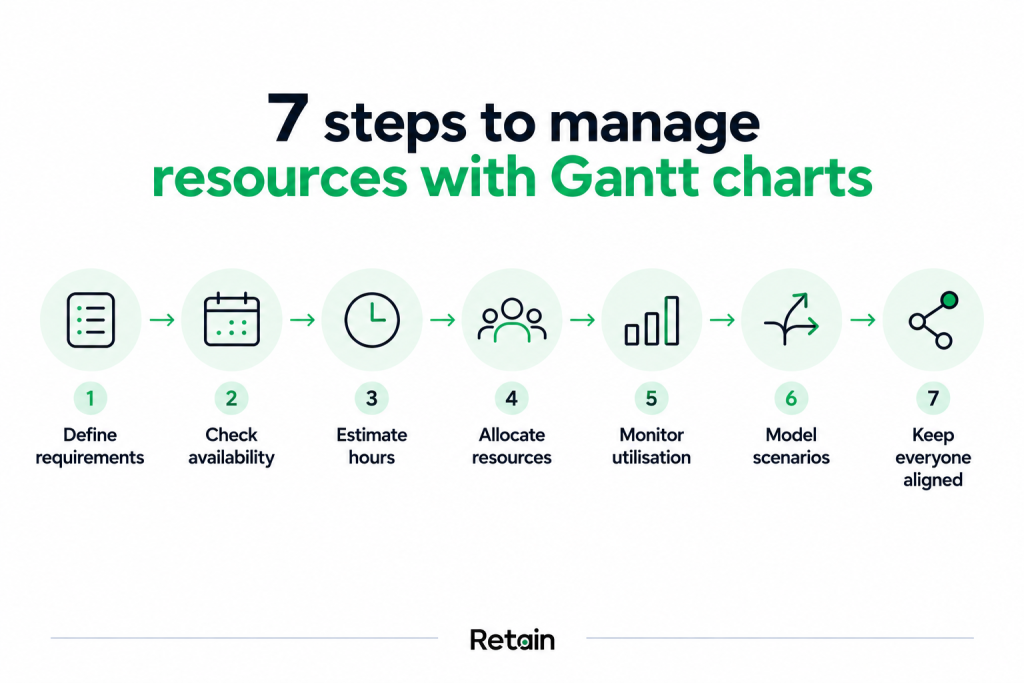
1. Define your resource requirements
Start by identifying what each project needs. Think about the skills, experience, seniority, and the number of people required to get the work done. For example, a consulting project might need a senior consultant for discovery, two analysts for delivery, and a project manager overseeing everything.
Get specific here. The clearer your requirements, the easier it becomes to find suitable people and avoid problems further down the line.
In Retain: You can capture project resource requirements and use skills and other suitability criteria to help identify the right people for each assignment.
2. Check resource availability before scheduling
Next, find out who’s available during the project dates. This sounds straightforward, until you discover that your ideal candidate is already committed to three other projects, has annual leave booked, and is only available two days a week.
Use your Gantt chart alongside your resource availability information to identify potential overlaps and scheduling conflicts before making assignments.
In Retain: Resource planners can see availability and existing commitments in one place, making it easier to identify suitable people and avoid overallocations.
3. Estimate the hours each task requires
A task that lasts two weeks doesn’t necessarily require two weeks of someone’s time. Someone might only need to contribute 10 hours across that period. Someone else might need to work on it full-time.
Estimating the hours required helps you understand the actual demand on your team and plan capacity more accurately.
In Retain: You can plan resource requirements in hours and use capacity information to understand how upcoming work affects availability.
4. Allocate resources to project tasks
Now that you’re ready to start assigning people to the work, you can use your Gantt chart to map assignments against project dates, taking into account availability, skills, workload, and existing commitments.
And remember, the first available person isn’t always the best person for the job. Experience, seniority, and project requirements can all influence your choice.
In Retain: Resource planners can use Retain’s scheduling capabilities and suitability information to make more informed allocation decisions.
5. Monitor and optimise resource utilisation
Once the project is underway, keep an eye on how your resources are being used. Are some people overloaded while others have spare capacity? Are assignments taking longer than expected? Has a change in one project created problems elsewhere?
Review your resource allocations regularly and adjust your Gantt chart as priorities and workloads change.
In Retain: Utilisation and resource visibility help teams identify workload imbalances and make adjustments across projects.
6. Model different resource planning scenarios
What happens if a project starts two weeks late? Or your most experienced consultant becomes unavailable? It’s worth exploring these possibilities before they become real problems.
Try adjusting project dates, resource assignments, and workloads to see how different scenarios affect your delivery plan.
In Retain: Scenario planning capabilities help resource teams explore alternative allocations and understand their potential impact before making changes.
7. Keep everyone working from the same plan
Finally, make sure the people involved can access accurate, up-to-date scheduling information. Resource plans change. A lot. Projects move, priorities change, and availability changes. Without a reliable way to share updates, it’s easy for different teams to end up working from different versions of the plan.
In Retain: Centralised resource planning gives authorised teams access to shared scheduling information, helping everyone work from a consistent view of resource commitments.
What are the best Gantt chart alternatives for resource planning?
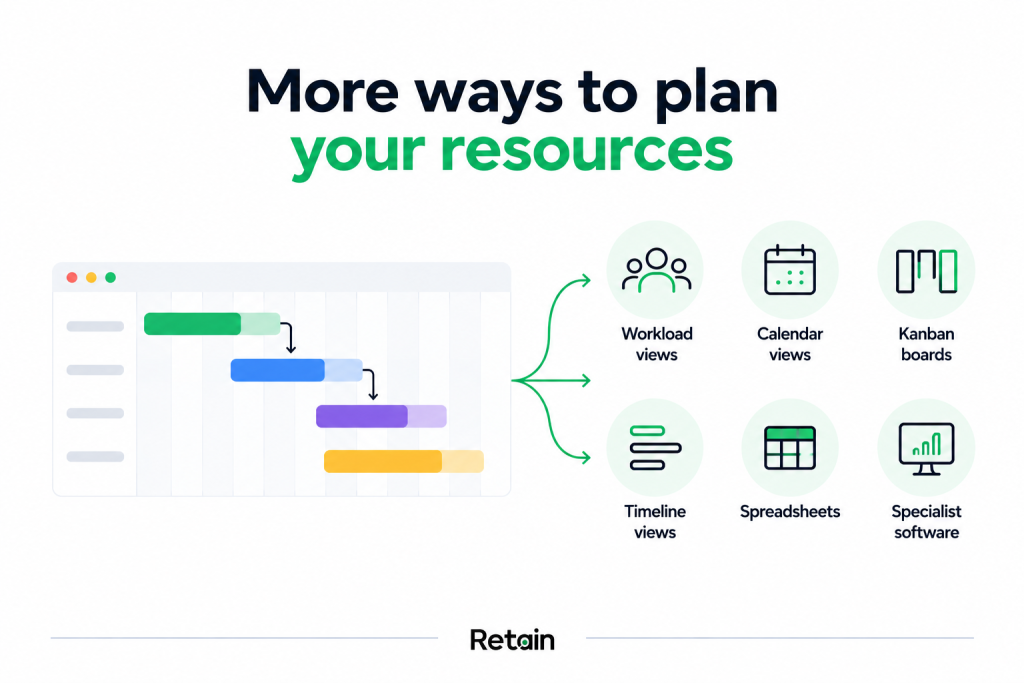
Gantt charts are great for visualising project timelines. But once you’re managing multiple projects, changing priorities, and people with different skills and availability, things can get complicated. Fast.
The good news? You’ve got options.
There are several Gantt chart alternatives worth considering, depending on the size of your team, the complexity of your projects, and how much detail you need from your resource plan.
Gantt chart alternatives compared
| Alternative | Best for | Things to consider |
| Resource and workload views | Seeing who’s available, who’s overloaded, and where there’s spare capacity | May offer limited visibility into project dependencies |
| Timeline views | Visualising resource assignments across projects and dates | Resource suitability and capacity information may be limited |
| Kanban boards | Managing tasks and tracking work through different stages | Difficult to assess future resource availability and workload |
| Calendar views | Scheduling straightforward assignments and short-term activities | Can become cluttered when managing large teams or multiple projects |
| Spreadsheets | Small teams with relatively simple scheduling requirements | Manual updates, version control, and scheduling conflicts can become headaches |
| Specialist resource planning software | Managing complex resource requirements across teams, departments, and projects | Requires investment, implementation, and team adoption |
Gantt charts vs resource planning software: Which should you choose?
So, which approach makes the most sense for your team? Well, that depends on how complicated your resource planning needs to be.
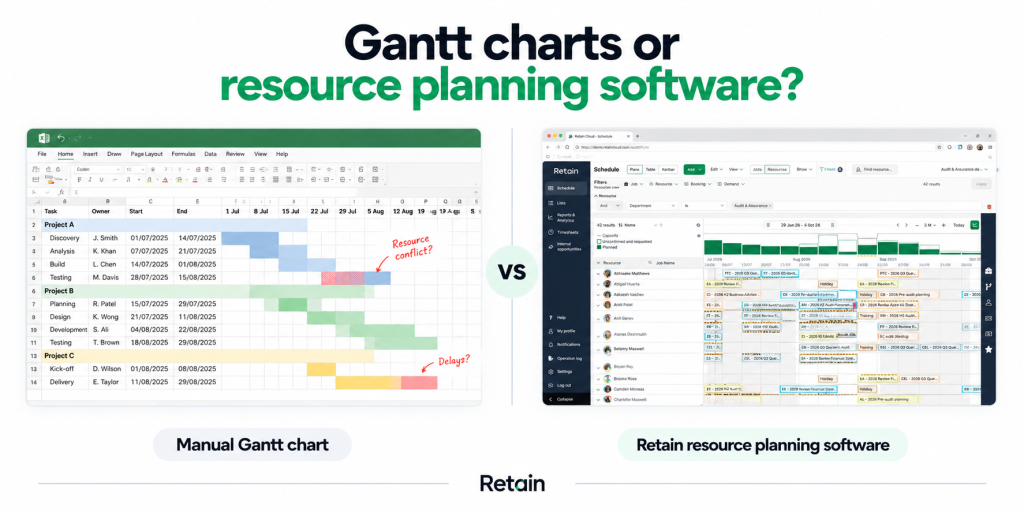
If you’re managing a small team with relatively predictable workloads, a traditional Gantt chart can be a perfectly sensible choice. You can see project timelines, track assignments, and keep everyone on the same page.
But add a few hundred people, multiple departments, competing project deadlines, and constantly changing client demands into the mix, and things get tricky. Suddenly, every scheduling decision has a knock-on effect.
Assigning one consultant to a project might mean another engagement is left short-staffed. Moving a deadline could create three new resource conflicts. And that apparently available senior manager? They’re the only person with the qualifications another project desperately needs.
These are the kinds of decisions specialist resource planning software is designed to support.
Gantt charts vs specialist resource planning software: At a glance
| Capability | Traditional Gantt charts | Specialist resource planning software |
| Project timelines | Visualise tasks, dates, and dependencies | Visualise assignments alongside project and resource information |
| Resource allocation | Assign people to tasks, depending on the tool | Allocate people using availability, skills, seniority, and other requirements |
| Capacity planning | Often requires additional calculations or views | Provides dedicated capacity and demand visibility |
| Scheduling conflicts | May require manual checks or additional functionality | Can highlight overlapping commitments and overallocations |
| Skills-based matching | Typically limited without additional tools | Can support matching people to work using skills and suitability criteria |
| Scenario planning | Possible, but may require manually adjusting schedules | Dedicated tools can support modelling alternative resource plans |
| Cross-project visibility | Depends on the tool and how charts are configured | Designed to provide visibility across projects, teams, and departments |
| Best suited to | Straightforward projects and smaller resource pools | Complex, multi-project resource planning environments |
Of course, Gantt chart functionality varies considerably between tools. Some modern project management platforms offer sophisticated workload and resource management features. The important thing is to check whether your chosen solution can handle the complexity of your resource planning requirements.
When is a Gantt chart enough?
A traditional Gantt chart could be all you need if:
- You’re managing a relatively small team or a limited number of projects.
- Resource requirements are straightforward and predictable.
- You mainly need visibility into tasks, deadlines, and project progress.
- Scheduling conflicts are infrequent and easy to resolve.
- You can comfortably maintain the plan as projects change.
There’s no need to make resource planning more complicated than it needs to be.
When should you consider specialist resource planning software?
Specialist software becomes particularly valuable when:
- You’re allocating hundreds or thousands of people across multiple projects.
- Skills, qualifications, seniority, and experience influence who can do the work.
- Resource availability and client priorities change frequently.
- You need to forecast capacity and identify potential shortages.
- Scheduling conflicts are creating delays or unnecessary administrative work.
- Different departments need a consistent view of resource demand and availability.
If several of these sound familiar, it’s worth exploring what a dedicated resource planning platform could offer.
For example, Retain brings together resource scheduling, skills intelligence, capacity planning, and workforce visibility. It helps professional services firms make more informed allocation decisions while managing complex resource requirements across their business.
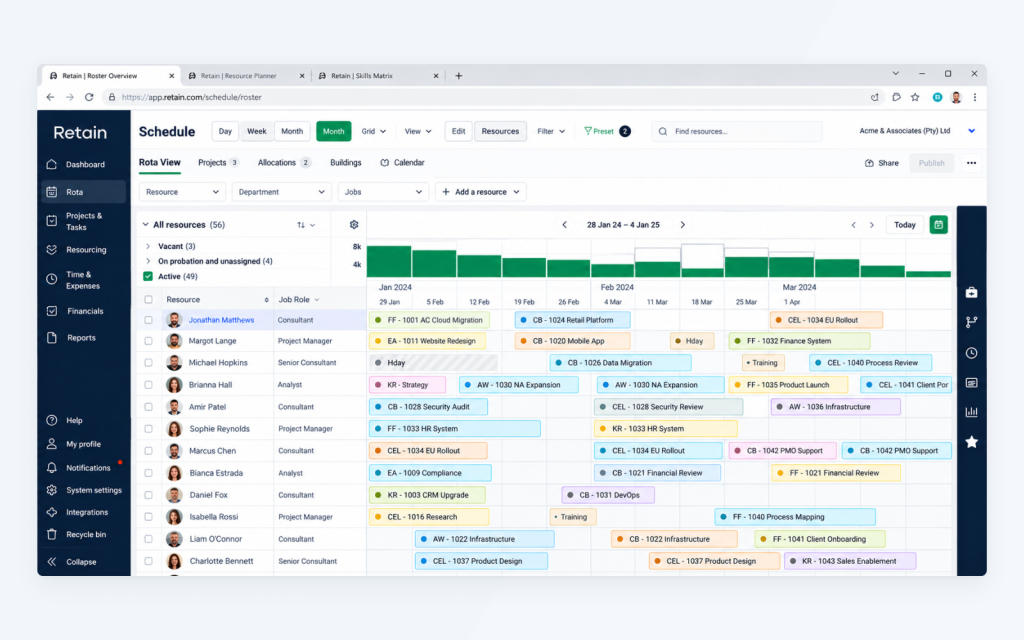
Because when you’re responsible for delivering dozens of client projects, even a small improvement in how you allocate people can make a meaningful difference.
What are the benefits of specialist resource planning software?
Imagine being able to see who’s available, who’s already committed, and who has the right skills for an upcoming project. All without chasing department heads for updates or trying to piece together information from multiple spreadsheets.
That’s the kind of visibility specialist resource planning software can give you.
For professional services firms managing complex resource requirements, platforms like Retain bring scheduling, capacity, skills, and resource information together. So when a new project comes in, you have a clearer picture of who can deliver it and what that decision means for the rest of your business.
Here’s where that makes a difference.
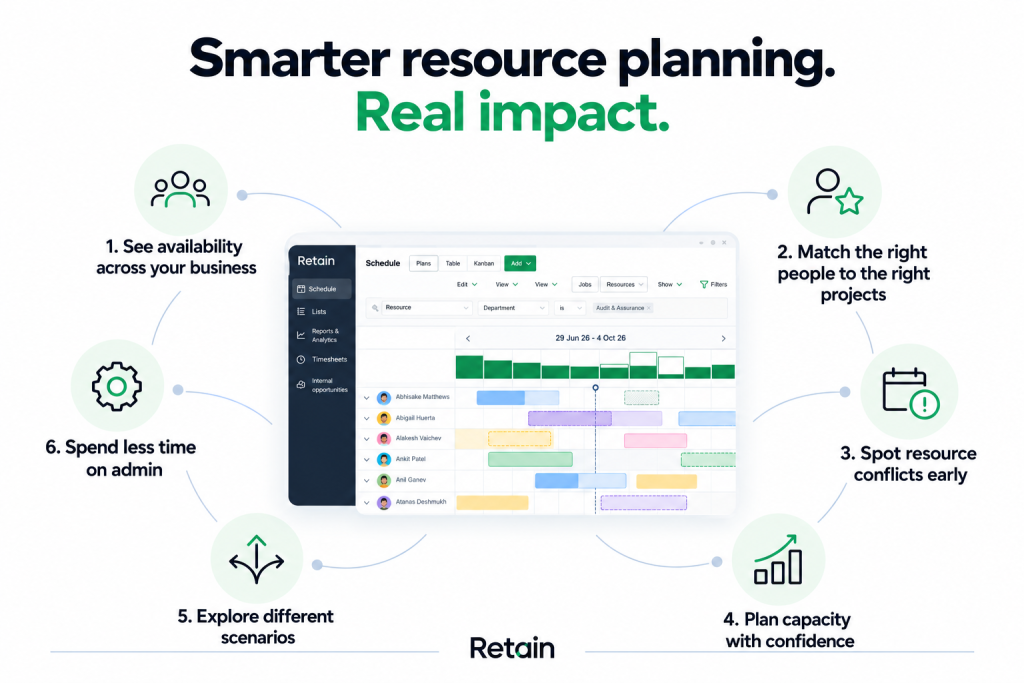
#1. See resource availability across your business
When people are working across multiple projects, teams, and departments, it’s easy to lose track of who’s available. Retain gives resource planners visibility into existing bookings, availability, and utilisation, helping them identify capacity and make more informed scheduling decisions. And when priorities change, planners can see how those changes affect other commitments.
#2. Match the right people to the right projects
A consultant might have space in their schedule, but do they have the skills, experience, seniority, and qualifications the project requires? Retain helps resource planners consider these factors when making allocations, so they can identify suitable people for the work. This is particularly valuable when you’re managing a large workforce and can’t possibly know everyone’s capabilities from memory.
#3. Spot resource conflicts before they cause problems
Double bookings, overlapping assignments, and overloaded employees can quickly create delivery headaches. With greater visibility into resource commitments, teams can identify potential conflicts and make adjustments before they disrupt project delivery. Because finding out you’ve double-booked your most experienced consultant the day before a project starts is nobody’s idea of a good time.
#4. Plan capacity with greater confidence
Knowing who’s available today is useful. Knowing whether you’ll have enough capacity to deliver the work coming through your pipeline is even better. Retain’s capacity planning capabilities help teams understand resource demand, identify potential shortages, and make more informed decisions about upcoming work. This could mean adjusting project schedules, reallocating resources, or identifying where additional capacity may be needed.
#5. Explore different resource allocation scenarios
There are several ways to staff a project. And the obvious choice isn’t always the strongest one. Retain’s scenario planning capabilities help resource teams explore alternative allocations and understand their potential impact. This gives planners more information to work with when balancing competing priorities, resource availability, and project requirements.
#6. Spend less time on resource planning admin
There’s a lot of coordination involved in keeping a resource plan accurate, including availability checks, scheduling updates, conflicting requests, and…. yet another spreadsheet. By bringing resource information into a shared platform, Retain helps reduce the manual effort involved in maintaining plans and coordinating assignments. Which means resource managers can spend more time making valuable planning decisions and less time keeping everyone else’s information up to date.
Ready to make resource planning easier?
Gantt charts can be a useful way to organise project timelines and resource assignments. And for straightforward projects, they may be all you need. But as your workforce grows, so does the number of decisions involved in getting the right people onto the right projects.
Retain helps firms manage that complexity, bringing together resource scheduling, skills intelligence, capacity planning, and workforce visibility in one platform.
So whether you’re managing 50 people or 5,000, you can make more informed allocation decisions, respond to changing priorities, and plan with greater confidence.
Want to see how it works? Book a personalised Retain demo and explore what smarter resource planning could look like for your business.
P.S. Don’t just take our word for it–here’s what our clients say:
De Hooge Warder
“Retain has completely changed how we plan and manage our resources. We now have visibility into workloads, ensuring our teams aren’t overworked.” – Senior Manager.
Read the full case study here.
James Cowper Kreston
“Retain means we can make informed decisions about work we take on and resourcing quickly.” – James Pitt, Partner.
Read the full case study here.
Rickard Luckin
“We had internal champions who facilitated training and adoption, making the transition from Excel to Retain smooth and effective.” – Dean McCormack, Director.
Read the full case study here.
Or if you still have unanswered questions, you might enjoy our most frequently asked questions, below.
Frequently Asked Questions
Yes. A Gantt chart with resource allocation shows which people or resources are assigned to specific tasks and when they’re scheduled to work on them.
This makes it useful for spotting overlapping assignments and understanding who’s responsible for what. However, the level of resource detail depends on the tool you’re using. Some Gantt charts include workload and availability information, while others focus mainly on project timelines.
Start by listing your project tasks, deadlines, and resource requirements. Then assign people to each task based on their skills, availability, and existing commitments.
Once you’ve mapped out the assignments, check for overlapping bookings and workload imbalances. And don’t forget to update the chart when things change. Because, let’s face it, project plans don’t stay exactly as you first imagined them.
A Gantt chart is a visual way to display project activities and schedules over time. A resource plan sets out the people, skills, capacity, and other resources needed to deliver the work. You can use a Gantt chart to visualise parts of your resource plan, particularly when people are assigned to tasks. A complete resource plan may also include availability, utilisation, costs, and future demand.
The best alternative depends on the complexity of your resource requirements. For smaller teams, a calendar, workload view, or spreadsheet may provide enough visibility. For organisations managing large resource pools, multiple projects, and complex skills requirements, specialist resource planning software such as Retain can offer more comprehensive scheduling, capacity planning, and resource allocation capabilities
Absolutely. Excel can be a practical starting point for resource planning, especially if you’re managing a small team or a handful of projects. You can use spreadsheets to track availability, allocate people to tasks, and estimate capacity. The challenge comes when your resource plan grows. Keeping multiple spreadsheets accurate, checking for conflicts, and sharing updates can quickly become time-consuming. At that point, dedicated resource planning software may be worth exploring.
Our editorial process
Written from interviews with resource managers in IT consulting firms, alongside anonymised patterns from Retain customer data. Direct quotes are used with permission and lightly edited for length.
Reviewed for accuracy by Retain’s resource management practice leads before publication. Claims about outcomes are checked against source data or removed.
The summary at the top of this page is generated from the article text. The article itself is written and edited by people. AI is not used to draft claims, quotes or data.
Spotted something wrong? Email editorial@retaininternational.com and we will correct it, noting the change at the foot of the article.